Leeuwen Room I&II
Page Builder Deathmatch

Andi Rüther @anruether & Merlin Rutz @geek-merlin


CrowdPower.Digital
Who we are
 Andi Rüther: communications, project management, UX
 Merlin Rutz: strategy, development, consulting
-
- Long-term Drupal experts
- Fixing hard problems and envisioning new pathways
- CrowdPower.Digital
- Know-how and consulting for cooperatives
- SaaS for equity fundraising and contract management
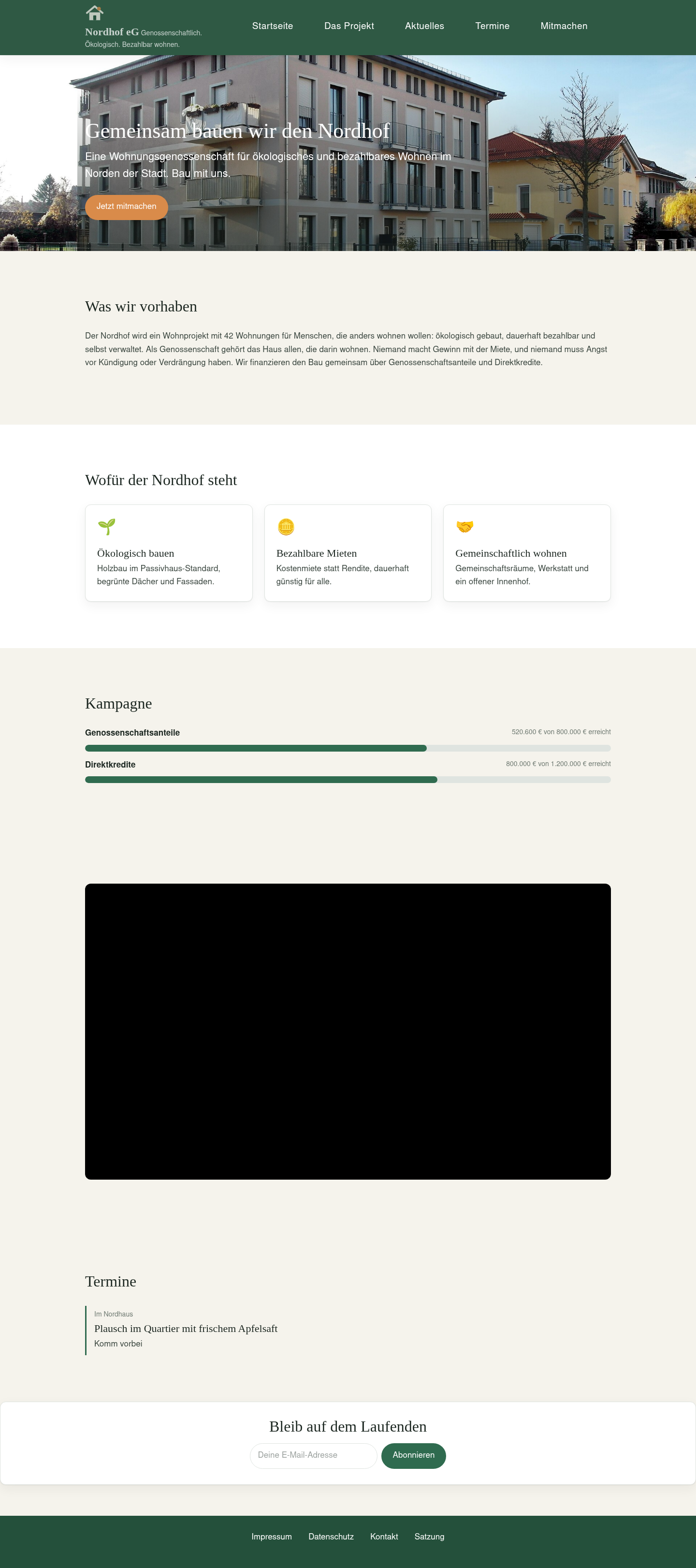
Nordhof eG
- Housing cooperative
- 20 apartments with community spaces
- Volume: €6 million in total, €2 million via community funding
- Via direct loans and member shares
- Implementation as technical proof-of-concept
Housing
Sustainable energy
Agriculture
Photo in the Nordhof hero: “Dresden Passivhaus Wiener Straße 124” by Jörg Blobelt, Wikimedia Commons, CC BY-SA 4.0
Requirements
- Header, menu and footer
- News and events (card/full)
- Free-form campaign frontpage with funding bars for shares and credits
- Pledge form that investors fill out
- Project members update the website on a regular basis
Features
| Block layout core | Manage display core | Layout Builder core | Paragraphs contrib | |||
|---|---|---|---|---|---|---|
| Page layout | Blocks in theme regions | — | — | — | ||
| Entity display | — | Fields and formatters | Layouts per display | — | ||
| Entity override | — | — | Own layout per entity | — | ||
| Entity form | — | Fields and widgets | — | — | ||
| Free-form page | — | — | Via a node's own layout | Fixed section types |
Canvas and Display Builder
 Canvas Canvas |  Display Builder Display Builder | |
|---|---|---|
| Version | 1.12.0, stable (tested: 1.11.0) | 1.0.0-beta8 (tested: 1.0.0-beta7) |
| Built by | Acquia and community | UI Suite community |
| Editor UI | React app | HTMX, rendered by Drupal |
| Stores pages as | Own entity: canvas_page | Display config and overrides |
| Built for | Editors and designers first | Site builders first |
| AI | Canvas AI submodule ships | Chat assistant module, alpha |
Tested on Drupal core 11.4.7 · ui_patterns 2.0.21 · Logos: Canvas draft from #3545468, Display Builder under the UI Suite logo
Features
| Block layout core | Manage display core | Layout Builder core | Paragraphs contrib | Canvas 1.11.0 | Display Builder 1.0.0-beta7 | |
|---|---|---|---|---|---|---|
| Page layout | Blocks in theme regions | — | — | — | Page Templates (1.11) | Conditional page layouts |
| Entity display | — | Fields and formatters | Layouts per display | — | Nodes only | Any entity |
| Entity override | — | — | Own layout per entity | — | — | Own layout per entity |
| Entity form | — | Fields and widgets | — | — | — | In progress |
| Free-form page | — | — | Via a node's own layout | Fixed section types | Pages in the editor | Via a node's own layout |
Based on Pierre Dureau's comparison, April 2026
Integrations
| Canvas | Display Builder | |
|---|---|---|
| Views display | — | Yes |
| Content editing in the builder | Yes | In progress |
| Pattern presets | Yes | Yes |
| Import from Layout Builder | — | Yes |
| Component code editor | Yes | — |
| Real-time collaboration | — | Yes |
| Configurable profiles | — | Yes |
| AI integration | Submodule | In progress |
Pierre Dureau's comparison, April and September 2026
Round 1
Example: Header, menu and footer
Page layout
Entity display
Free-form page
Round 1 · Canvas
Page Templates
- Navigate to
Pages › Add pageor/canvas - Navigate to ribbon item
Templates - Enable page templates per:
- Default
- Canvas page
- Content type
- In theme settings:
Use Drupal Canvas for page templates in this theme.
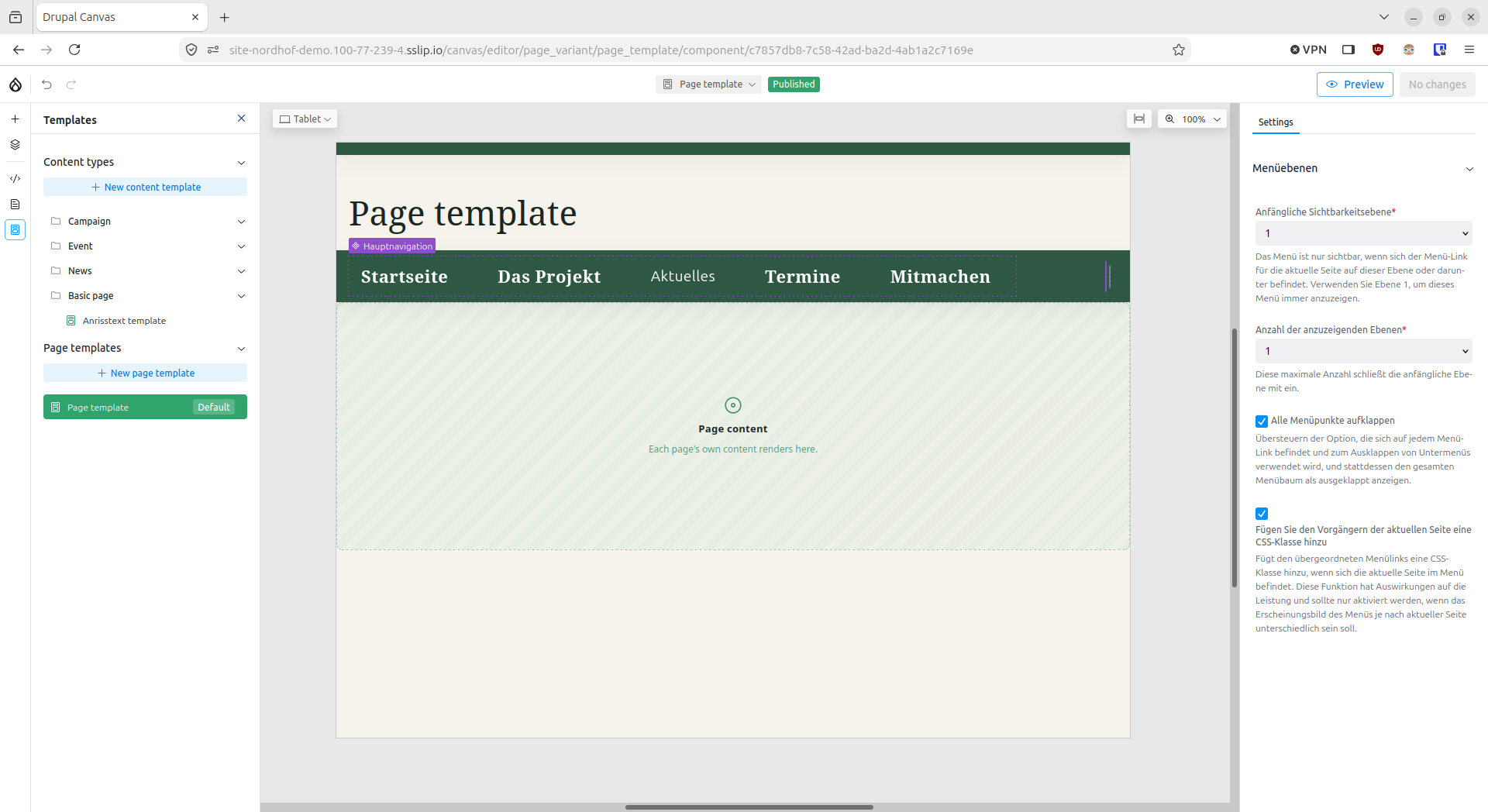
Minor quirks: elements in the branding block turned off (#3561919)
Round 1 · Display Builder
Page Layouts
- Enable
Display Builder for page layoutand go toStructure › Page layouts - Create the default page layout (no conditions)
- Start from your current site
- Minimal Drupal page
- Empty
- Create a new page layout (with conditions, e.g. path
<front>)
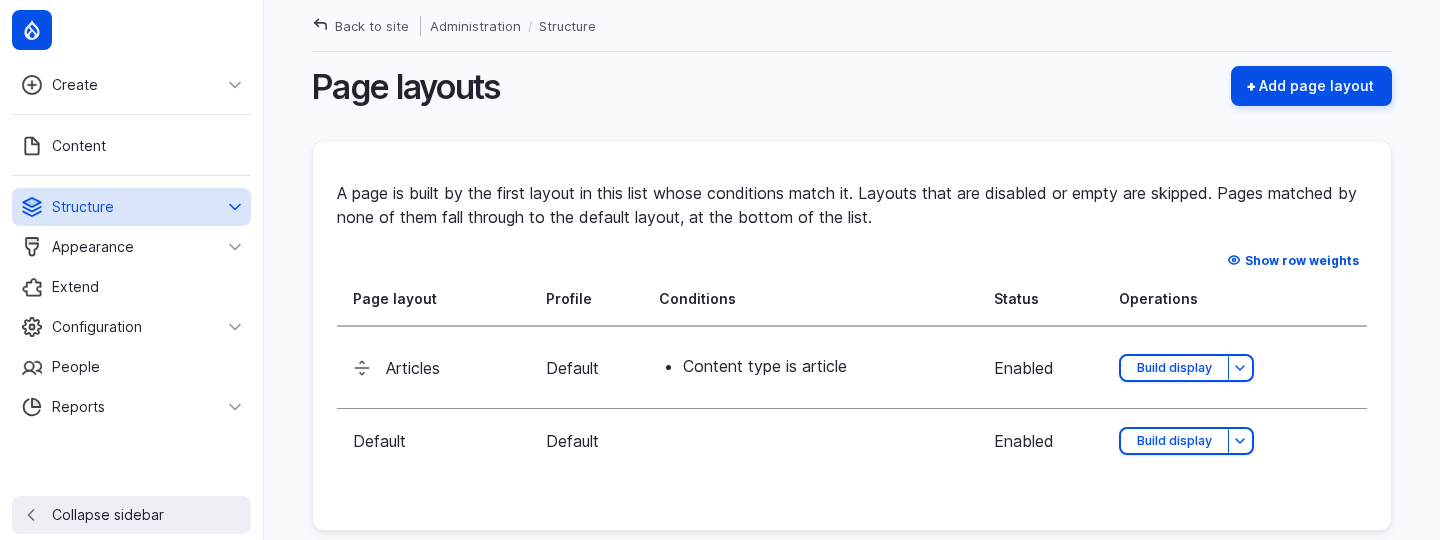
Minor quirks: page title with escaped markup (#3621589), recipe install (#3622638)
Round 1 · Header, menu and footer
Recap
| Lens | Canvas | Display Builder |
|---|---|---|
| Setup | Easy to find once you are in Canvas | Easy to find once you enabled the submodule |
| Editor experience | Same UI as the content | Site-builder admin screens |
| Context-awareness | Attach to canvas page, content type template or set as default | Drupal conditions (content type, user role, path, etc) |
| Maturity | Page Templates new in 1.11, minor bugs | Beta 7, minor bugs |
Round 2
Example: News as card
Page layout
Entity display
Free-form page
Round 2 · Canvas
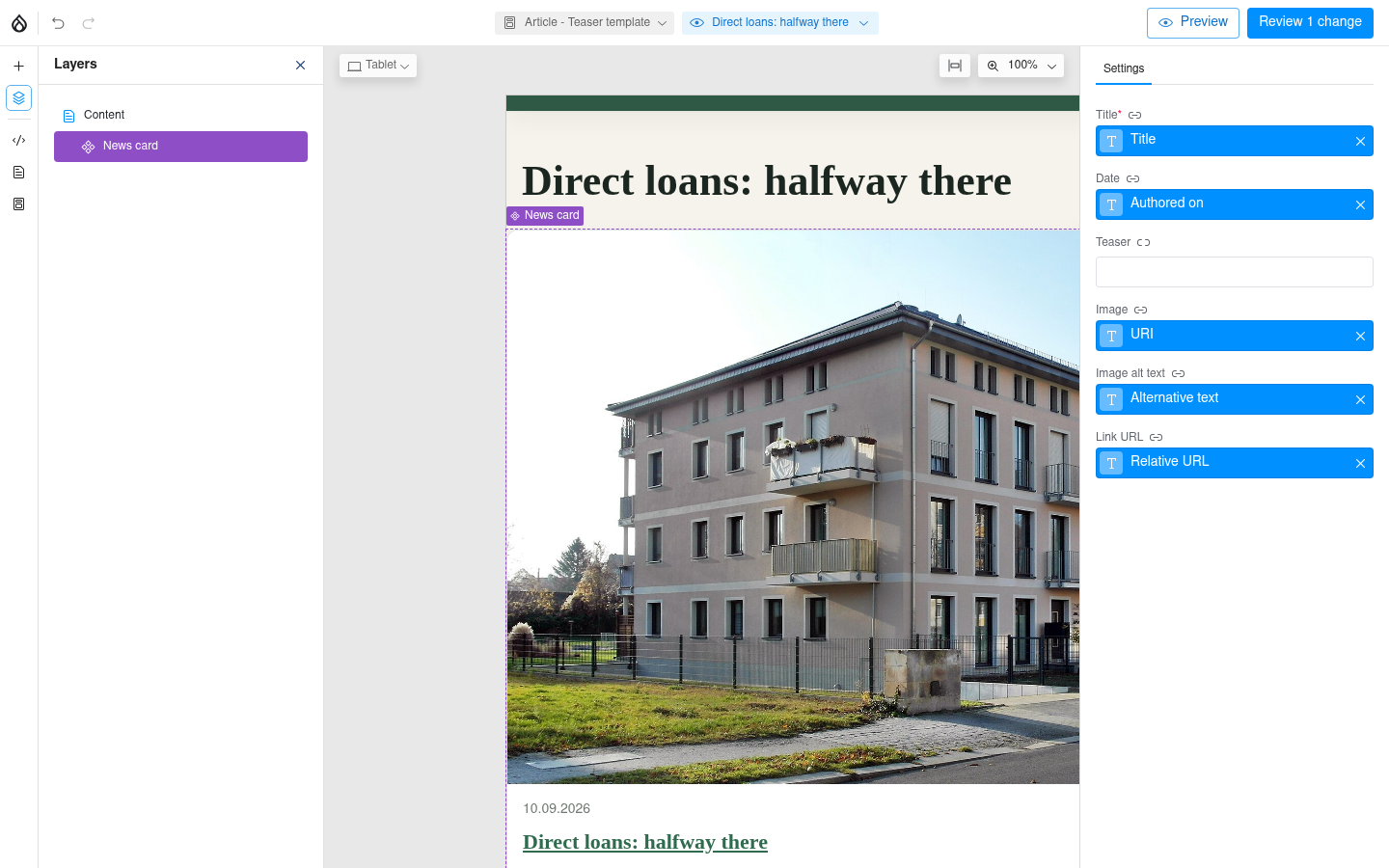
Content Templates
- In the Template section, pick a content type and a view mode you would like to override
- In the editor: Pick a prop, pick a field: only matching data is offered (Screenhot)
Limitations
- Drupal formatters only via contrib canvas_field_component
- Nodes only (#3518272)
Round 2 · Display Builder
Manage Display
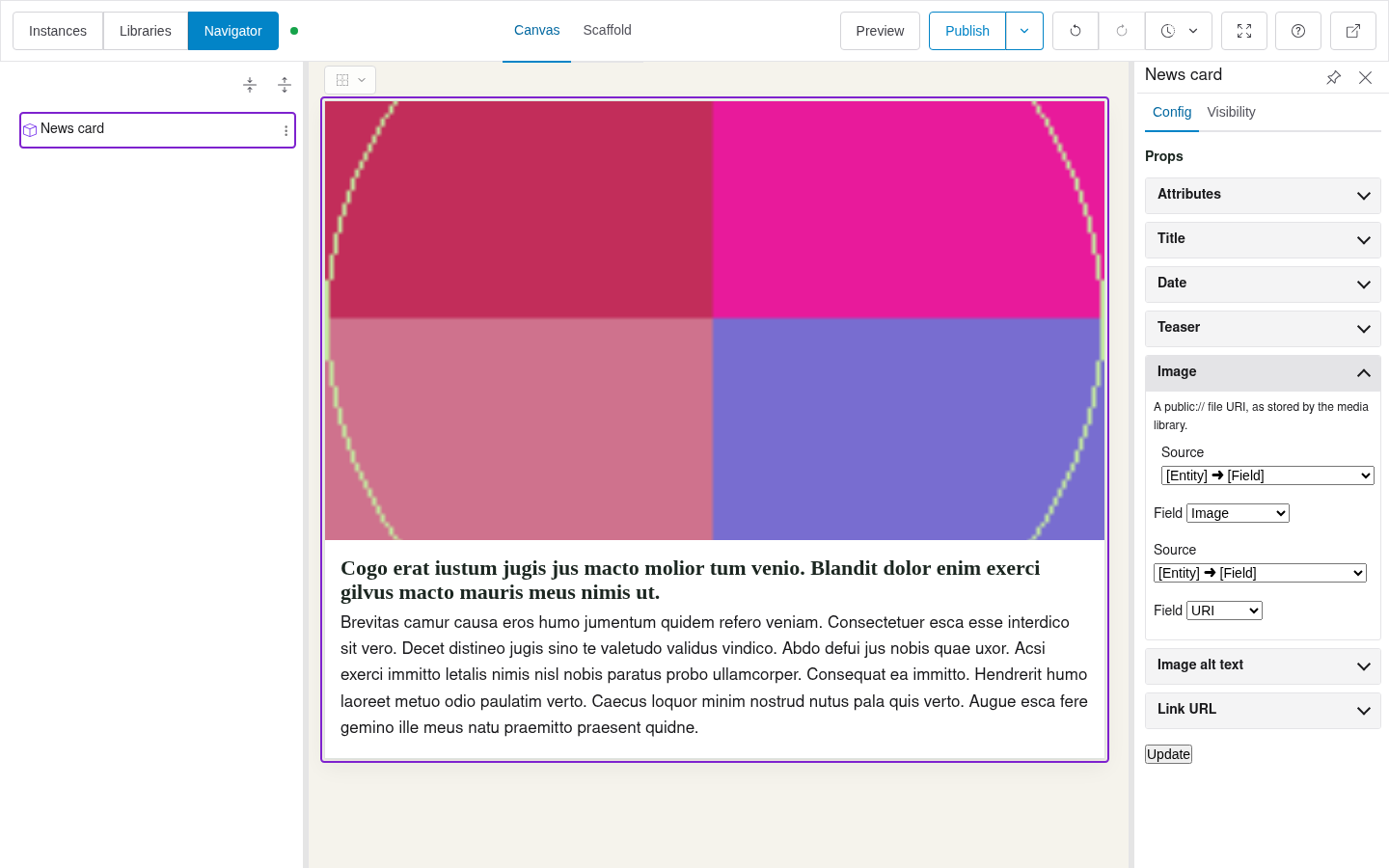
- In Manage display, pick a content type and a view mode, and enable Display Builder
- Fields into slots, with Drupal's formatters
- Props: Mapping of Drupal's entire data model via dropdowns
- Slots: Drop your field and configure formatter
Limitations
- Dropdowns can be overwhelming
Round 2 · News card
Recap
| Lens | Canvas | Display Builder |
|---|---|---|
| Setup | Easy: only fitting fields offered | Easy, except digging through the data model |
| Editor experience | Real content in the preview | Sample content in the builder |
| Reuse | Fields in slots need contrib | Formatters and contrib keep working |
| Maturity | Nodes only, #3518272 open | Beta 7, any entity type |
Round 3
Example: The campaign frontpage + Pledge form embed from our SaaS
Page layout
Entity display
Free-form page
Round 3 · Canvas
Canvas page
- Drag and drop components or blocks
- Author text, images and other content with ease
- Funding bar: values are saved on the campaign node and pulled in via a code component
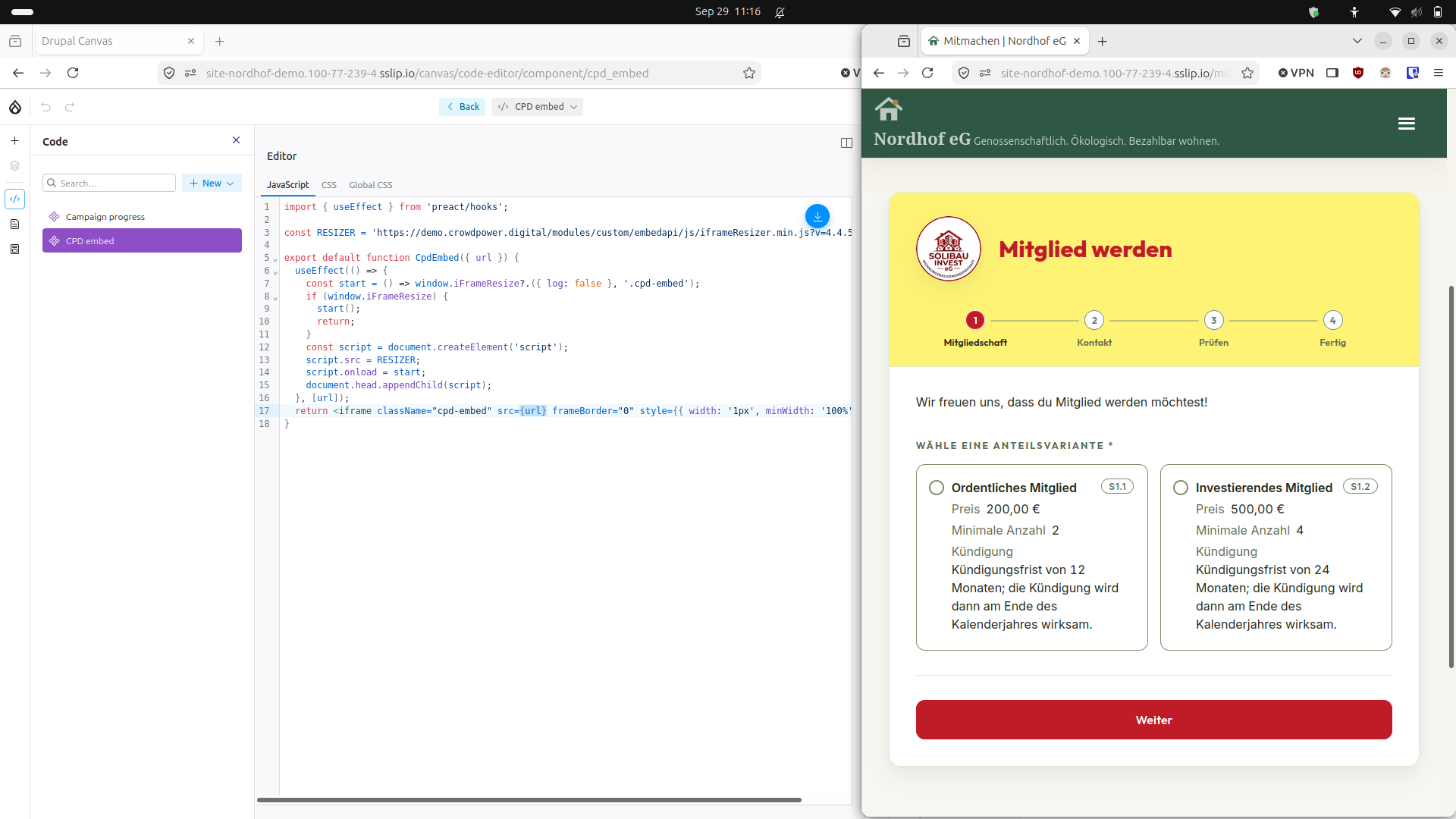
- Third-party embed: a second code component that loads the resizer script
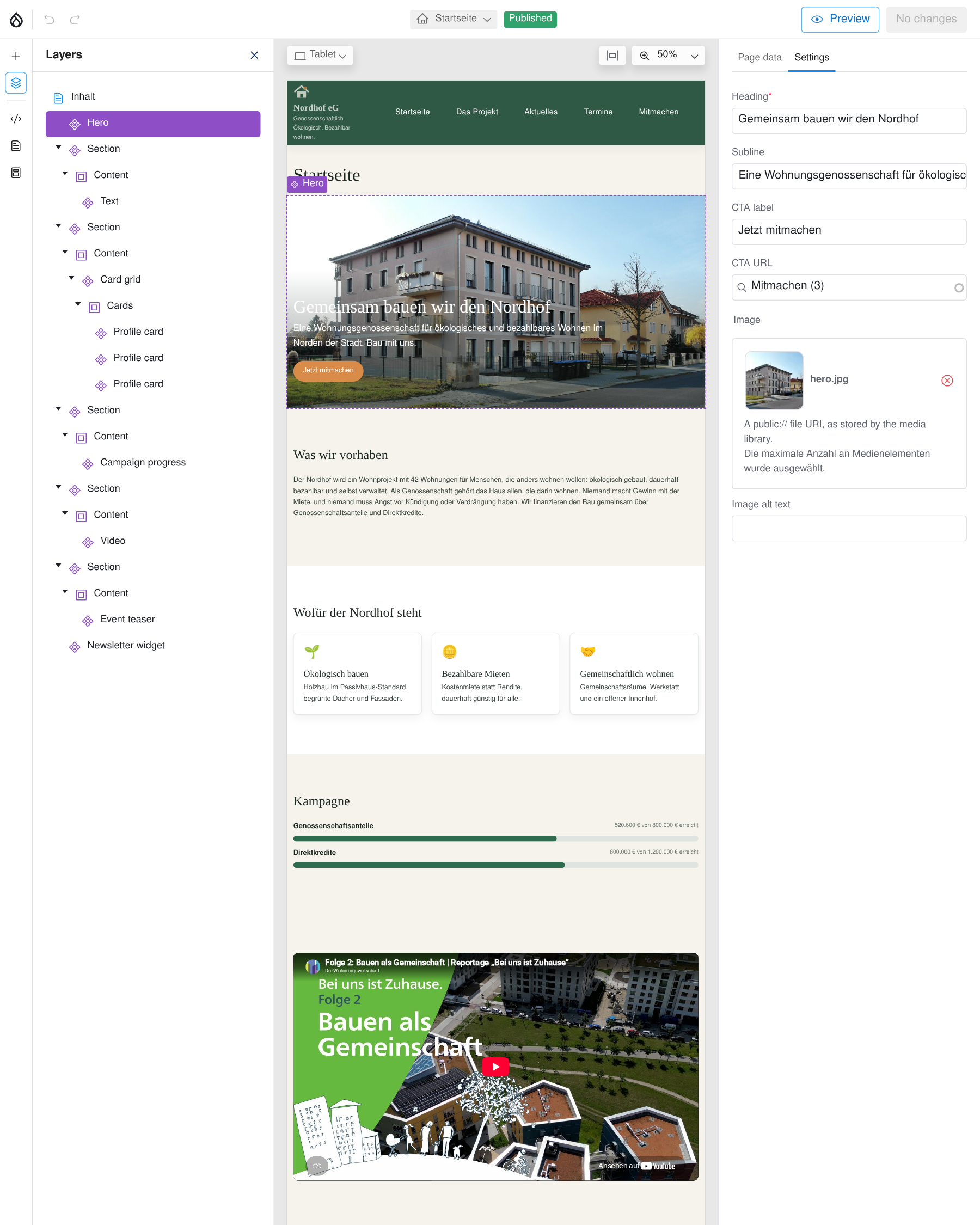
Photo in the Nordhof hero: “Dresden Passivhaus Wiener Straße 124” by Jörg Blobelt, Wikimedia Commons, CC BY-SA 4.0
Round 3 · Canvas
Third-party embed
- Third-party embed: a second code component that loads the resizer script
Round 3 · Display Builder
Entity display overrides
- Back to Manage display where we enabled Display Builder for a view mode, enable overrides
- Content editing:
- Textarea with a minimal editor
- Plain text field, 128 characters (#3587393)
- Pledge form: needs a full HTML field somewhere
Limitations
- Built-in content model is minimal
- Entity reference source removed (#3501797)
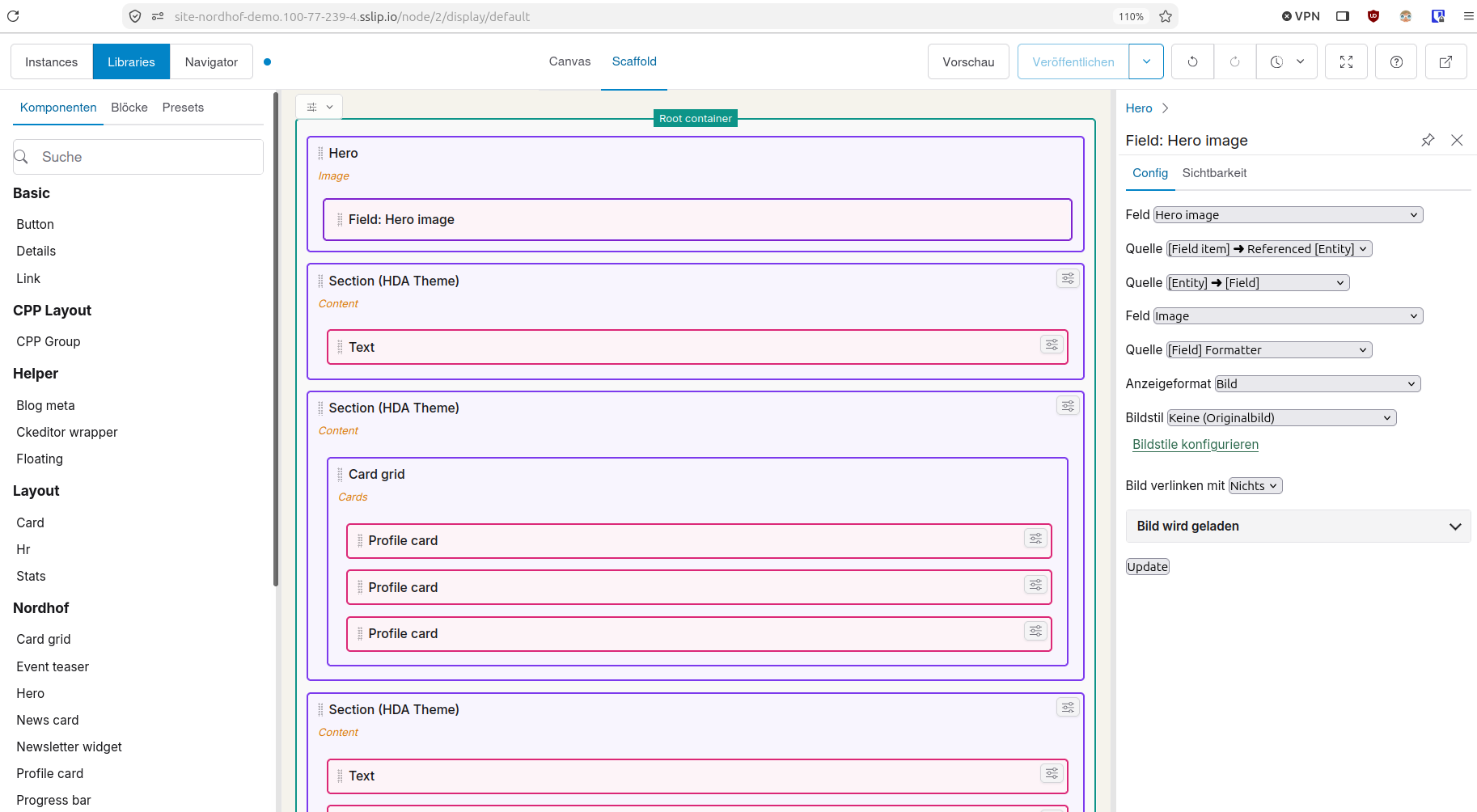
Photo in the Nordhof hero: “Dresden Passivhaus Wiener Straße 124” by Jörg Blobelt, Wikimedia Commons, CC BY-SA 4.0
Round 3 · Campaign frontpage
Non-structured content
| Layout Builder core | Canvas | Display Builder | |
|---|---|---|---|
| Layout | Sections, serialized into a field of the node | One field item per component, its props as JSON | A tree of sources, serialized into a field of the node |
| Typed text | Inline blocks: content blocks of their own, with fields and revisions | In the component's props, inside the layout field | In the tree, inside the layout field |
| Images and media | Media fields of the inline block | A media entity, referenced in the component's props | Fields of the node (Media Library in the builder: #3501797) |
Round 3 · Campaign frontpage
Recap
| Lens | Canvas | Display Builder |
|---|---|---|
| Setup | Obvious; live data only through a code component | Had to research how: nested selects through the data model |
| Editor experience | Built for this; the Campaign lives outside Canvas | Typed text in the textarea; the Campaign changes in the page form |
| Reuse | Code components go on any page | The layout lives in one node; the next landing page starts over |
| Maturity | Stable, symmetric translation, component config drifts with the admin language | Beta, symmetric translation since beta 8; a node-to-node binding needed a patch |
Extra round 1
Free-form pages from prompt
Canvas: ships a submodule
Canvas AI turns a prompt into a page from your own SDC library. 1.11.0 adds a page-building agent and a Q&A agent. Needs drupal/ai, AI Agents and an LLM provider.
Display Builder: a module in alpha
display_builder_ai 1.0.0-alpha1 (24 September) adds a chat assistant to the builder. UI Suite Monthly #36 (June 2026) shows agents building a landing page through UI Patterns.
Extra round 2
Multilingual support
Canvas
- Content translation standard since 1.8.0
- New pages start in the default language; any language: #3546597, postponed
- Component config drifts with the admin language: #3555538, postponed
Proposal for CanvasStore the source string with a fixed language and translate it on read
- Config in another language than the site default crashes the editor: #3591850
Works todaytranslation_bliss relabels that config in one command
Display Builder
- UI strings translated
- Symmetric content and config translation since beta 8: #3555110
- Text typed into layouts is translated in the builder; Config Translation and TMGMT don't see it
Proposal for translation_blissExport that text through UI Patterns into the .po files, and let the import write Display Builder's language overrides
Extra round 3
What translation_bliss does
translation_bliss
Translations as code: .po files in git, config translated on read.
1.0.0-alpha17, maintained by us
drupal.org/project/translation_bliss
Normalized config translations
Config keeps one copy in its source language, and locale translates it on read.
Reviewable language overrides
config/sync/language holds only deliberate overrides. Both builders now keep their layout translations there too.
Config language audit and fixer
drush clangs finds config in an unexpected language, drush clangc relabels it.
Config language widget
Config forms show and set the config's language, Display Builder's included. Canvas edits its config in its own editor.
Config export and import
Config deploys with cim, its translations with tim. Builder layout translations deploy with cim.
Extractor integration (potx)
drush tex collects strings from code and config, tim drops outdated ones. Component labels and Display Builder layout text need an extractor of their own.
Source language support
Config written in German keeps German as its source language, and English becomes a translation.
Extra round 4
Editor technology: HTMX versus React
| Canvas React | Display Builder HTMX | |
|---|---|---|
| Code size PHP + JS lines, no tests, comments or blank lines | 50K + 120K | 16K + 3K |
| Direct dependencies Production, Composer + npm | 0 + 129 | 1 + 2 |
| Speed Web vitals, March 2026: first paint / largest paint / speed index | 8 s / 8 s / 8 s | 2 s / 2 s / 2 s |
| Work so far In days | Thousands, estimated | 320 to 350 |
Figures: Pierre Dureau, Display Builder project manager, September 2026
Extra round 5
Compatibility with existing modules
| Canvas 1.11.0 | Display Builder 1.0.0-beta7 | |
|---|---|---|
| Page Manager | Breaks: both define a page_variant, the front end goes down | Combines: a page layout wraps a Page Manager page |
| Layout Builder | No import yet (#3483307, needs work) | Imports the Layout Builder display, again on every save |
| Paragraphs | No Paragraphs source (#3517216); contrib canvas_paragraphs, alpha | Paragraph displays are built like any other entity display |
| Metatag | Built into Canvas pages; with its submodules the page form breaks (#3573787) | Stays in the node form, untouched |
Extra round 6
Compatibility with each other
They don't install together yet.
UI Patterns fixed its side in dev (#3625036), Display Builder's follow-up is RTBC (#3625330), Canvas's side is open (#3552818).
The UI Patterns dev branch solves this without changes to Canvas.
Extra round 7
Forms!
- Components for forms
- Display Builder: an entity form builder is in progress (#3546198)
Two winners
Which builder for which project
Canvas is built for
- Editors composing pages
- Layout and content in one interface
- Pages without a fixed data model
Choose it when editors without Drupal knowledge build pages.
The bill: your agency learns a second stack, React included, to debug and fix it.
9,674 sites · 45 contrib projects build on it · stable
Display Builder is built for
- Site builders
- Drupal's data model, any entity
- Formatters, tokens, contrib
- SDCs as front-end developers wrote them
Choose it when the site lives on Drupal's data model and a Drupal-savvy team runs it.
The bill: editors get a site-builder tool.
584 sites · 9 contrib projects build on it · beta
Sites: drupal.org usage, week of 13 September 2026 · contrib projects: those that declare a dependency on the builder
Thank you
hook-dev-alter.com
crowdpower.digital